Skip to content
tellyflick
HomeDiscoverJournalLibraryActivityDiary
Search films, shows and peopleSign in
tellyflick

Keep track of every film and show you watch, and see what your friends love.

Follow TellyFlick
ExploreDiscoverJournalWhat to watch tonightComing upBrowse by genre
TellyFlickAboutGuidesTellyFlick PlusPrivacyTerms
Get the app
Coming soon toApp StoreGet it onGoogle Play
© 2026 TellyFlickFilm and TV data from TMDB. Streaming data by JustWatch. About · Privacy · Terms
Stranger Things
JournalExplained

How to keep track of every show you watch (and never lose your place)

Why viewers lose their place in TV shows, simple habits that fix it, and how a free tracker keeps every episode in one place.

Salah Edine3 Nov 2026 · 5 min read

Stranger Things

Pick your Story picture

3 films and shows in this story

You finish an episode, close the app, and life happens. Three months later a new season drops and you can't remember whether you saw the last two episodes of the previous one. Or you're halfway through four different shows on three different services and you've quietly abandoned two of them without meaning to. Losing your place is one of the most common frustrations of watching TV today, and it's almost never a memory problem. It's an organisation problem, which means it can be fixed.

This guide covers why it happens, a handful of simple habits that solve most of it, and how a tracker can take care of the rest.

Why we lose track in the first place

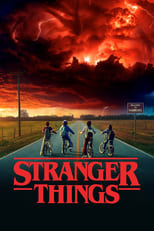
Long gaps between seasons. Many big series now take two or three years between seasons. Stranger Things is a good example: its young cast visibly grew up between seasons, and so did plenty of its audience. After that long, nobody remembers exactly where they stopped, let alone who everyone is.
Adtellyflick.com
Can’t decide what to watch?

Tell us your mood and how much time you have — we’ll pick something from your watchlist.

Try Tonight
Stranger Things2016 · Show · ★ 3.8 on TellyFlick

Too many services. Your shows are spread across several streaming apps, plus broadcast TV, plus the odd film you rented. Each app has its own "continue watching" row, and none of them talk to each other. If you cancel a subscription for a few months, that progress often disappears with it.

Watching with other people. You watch one show with your partner, another with your flatmate, and a third alone on your commute. Someone watches ahead, someone falls asleep halfway through an episode, and suddenly nobody is sure which episode is next.

Very long-running shows. Some series simply have more episodes than anyone can keep in their head. Grey's Anatomy has been running since 2005, and The Simpsons since 1989. Dipping in and out of shows like these over the years is normal, but finding the right place again is hard without a record.


Grey's Anatomy2005 · Show · ★ 4.0 on TellyFlick
The Simpsons1989 · Show

Simple habits that make a real difference

None of these require special tools. They work on paper, in a notes app, or in a tracker.

Log right after each episode. The single most effective habit is to record what you watched as soon as the credits roll, not the next morning. It takes a few seconds, and it removes all the guesswork later. If you only build one habit, make it this one.

Shows in this article
Stranger ThingsGrey's AnatomyThe Simpsons
What did you think?Rate and review Stranger Things — it goes on your TellyFlick. Rate & review
Salah Edine18 stories
Sign in to like and comment
Adtellyflick.com
Watch it with a friend

Invite a friend to TellyFlick and see what you both want to watch.

Invite a friend

Related stories

Explained
Explained

Severance, season one: the ending, explained

Salah Edine · 1 min read
List

The greatest TV finales (no spoilers)

Salah Edine · 4 min read
List

Family films for movie night

Salah Edine · 4 min read
List

Comfort sitcoms you can rewatch forever

Salah Edine · 4 min read

Have something to say about a film? Write for the Journal.

Film and TV information and images from TMDB. Streaming data by JustWatch.

Keep your watchlist short. A watchlist with 300 titles is not a plan; it's a guilt pile. Try keeping an active list of a handful of shows you are genuinely watching now, and a separate "someday" list for everything else. When you finish something, promote one title from the someday list. You'll actually finish more.

Note exactly where you stopped. If you abandon a show mid-season, write down the episode number and, if it helps, one line about what was happening. "S3E5, just after the wedding" is far more useful a year later than a vague sense that you were "somewhere in season three".

Follow release dates. Knowing when a new season is coming lets you plan a quick refresher. Many people like to rewatch the last episode or two of the previous season, or read a short recap, right before a new season begins. It's much easier to do that when the date doesn't take you by surprise.

Set season reminders. For shows on long breaks, a reminder for the premiere date is enough. You don't need to follow every bit of news; you just need a nudge at the right moment.

Agree on rules for shared shows. If you watch something with another person, agree that neither of you watches ahead, or at least that whoever does keeps track separately. It sounds trivial, but it prevents a lot of "wait, have we seen this one?"

How a tracker helps

Habits get you most of the way. A dedicated tracker simply makes them easier to keep, because it puts every show from every service in one place. Here's how that works on TellyFlick, which is free.

  • Ticking episodes. Each show has its seasons and episodes listed, and you mark them as watched. It's a simple, visual record of exactly how far you've got.
  • Up next and Continue watching. Once you've ticked a few episodes, TellyFlick shows you the next one you haven't seen, so you can pick up a show months later without scrolling through episode lists.
  • New-episode alerts. When a show you follow has a new episode or season, you get notified, which takes care of release dates and season reminders in one go.
  • A diary. Every film and episode you log goes into a dated diary, so you can look back at what you watched last week or last year. It's also a nice record of how your taste changes over time.
  • Importing your history. If you've already been logging somewhere else, you don't have to start from zero. TellyFlick can import your history from Letterboxd, TV Time, Trakt and IMDb, so your past viewing comes with you.

A tracker won't make decisions for you, and it only knows what you tell it. But if you combine it with the habit of logging right after each episode, it becomes a reliable memory for everything you watch.

A simple routine to start with

If all of this feels like a lot, start small:

  • Add the three or four shows you're actively watching.
  • Mark the episodes you've already seen.
  • Log each new episode as soon as you finish it.
  • Follow the shows that are between seasons so you hear when they return.

After a couple of weeks, it becomes automatic, and the next time a show comes back after a long break, you'll know exactly where you left off. Each title's page on TellyFlick shows where it's streaming in your country, which also helps when a show moves from one service to another.

Keeping track isn't about turning TV into homework. It's about spending less time searching and more time actually watching the things you love.